See your friends live on the map
2 phones. One creates, one joins.
PI
Swipe to start →
Person 1 · Create the group
1
Open W GROUP and tap
Create groupFirst time: tap Allow when Android asks.
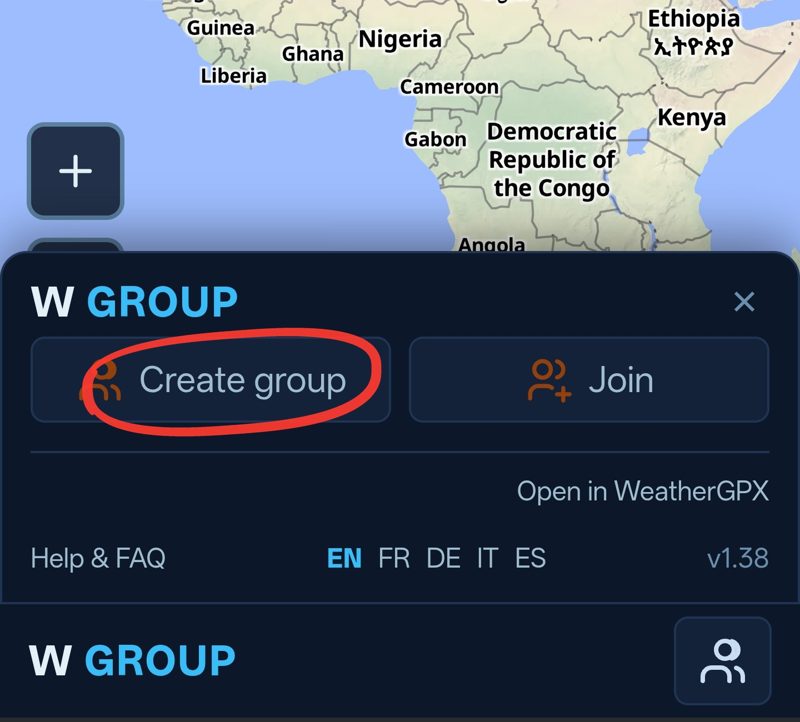
Person 1 · Create the group
2
Type your name, then tap
GoColor: optional, tap the square to change it.
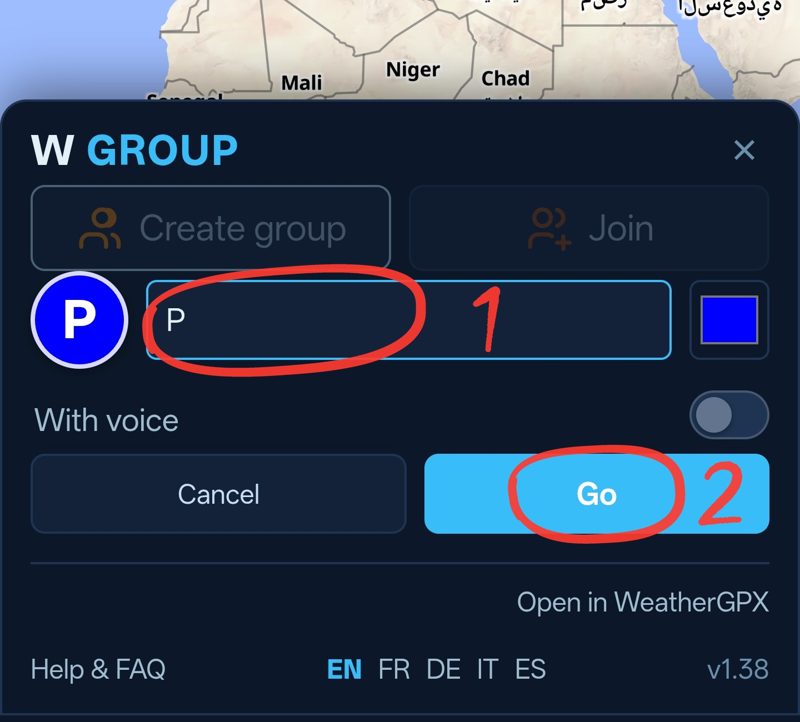
Person 1 · Create the group
3
Tap
Share group, then send the link to your friend The link is copied: paste it in WhatsApp, Messenger, SMS...
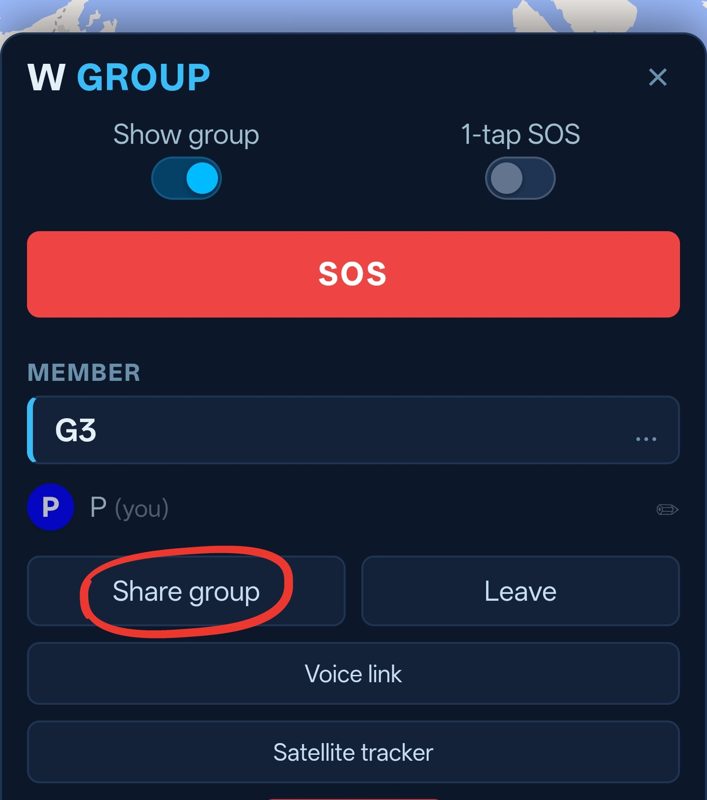
Person 2 · Join the group
1
You got the link? Long-press it and tap
Copy
Join my group on W GROUPhttps://weathergpx.com/group/?group=…
Person 2 · Join the group
2
Open W GROUP and tap
AllowOnly the first time.
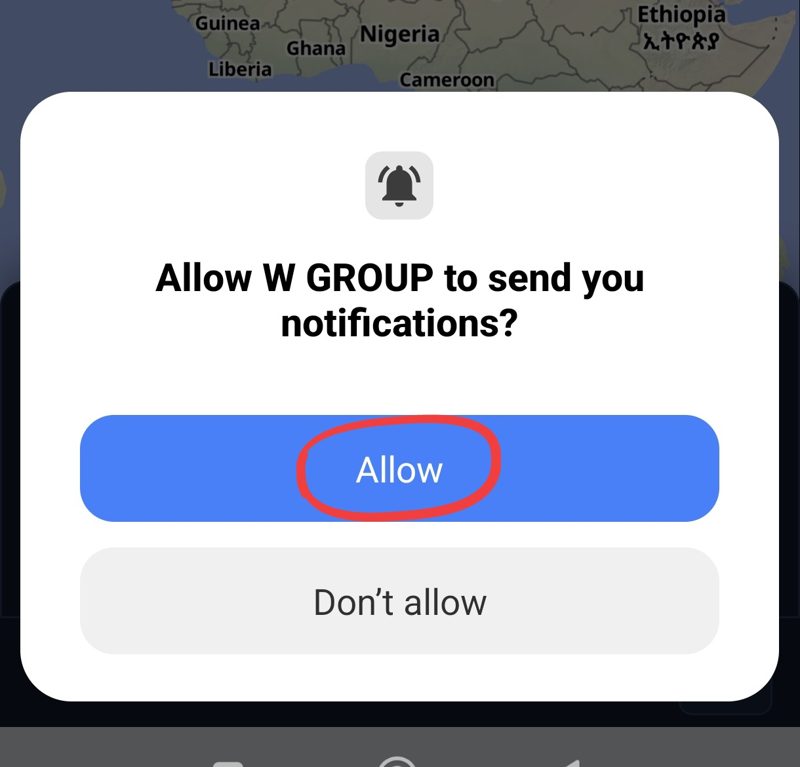
Person 2 · Join the group
3
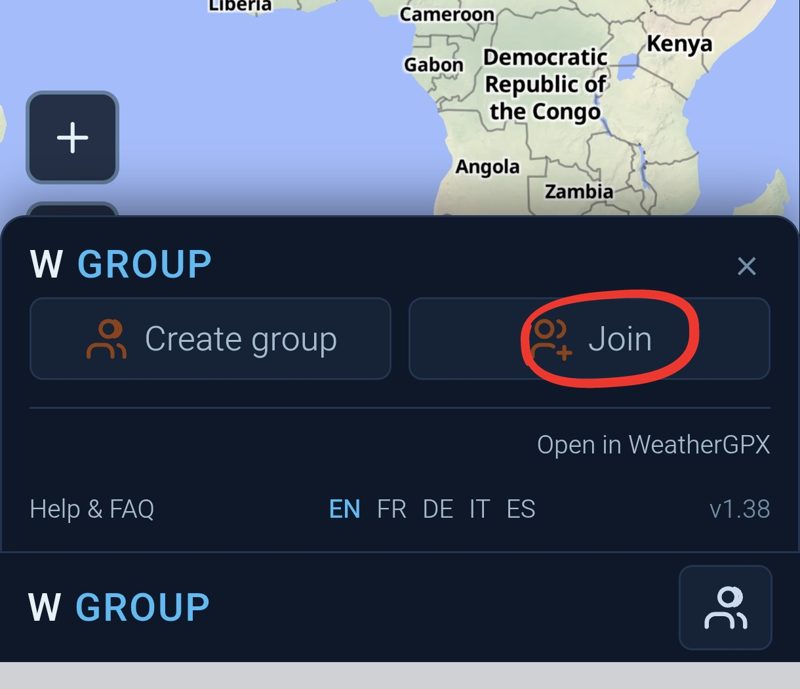
Tap
Join
Person 2 · Join the group
4
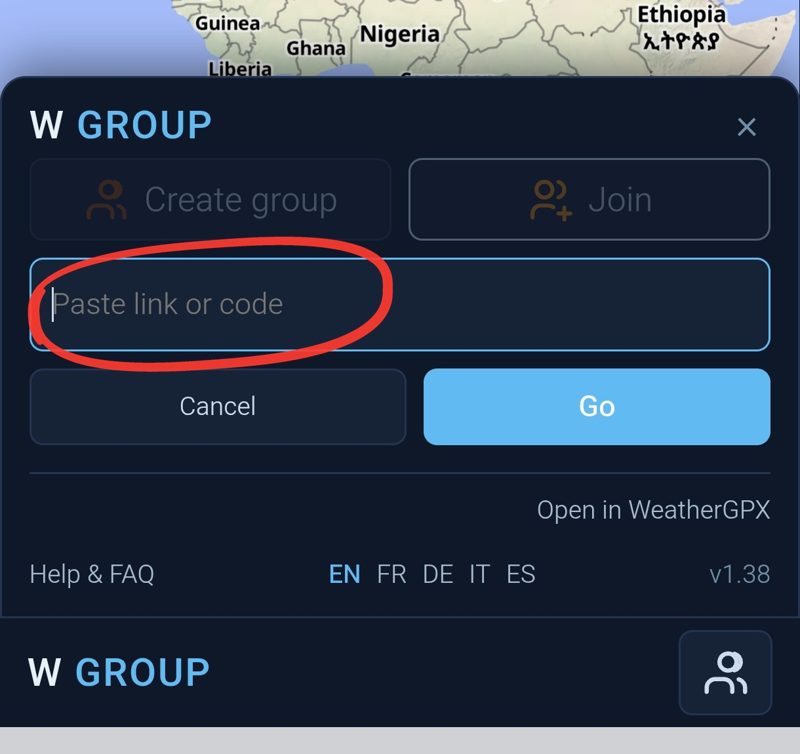
Tap the field and paste the link
Person 2 · Join the group
5
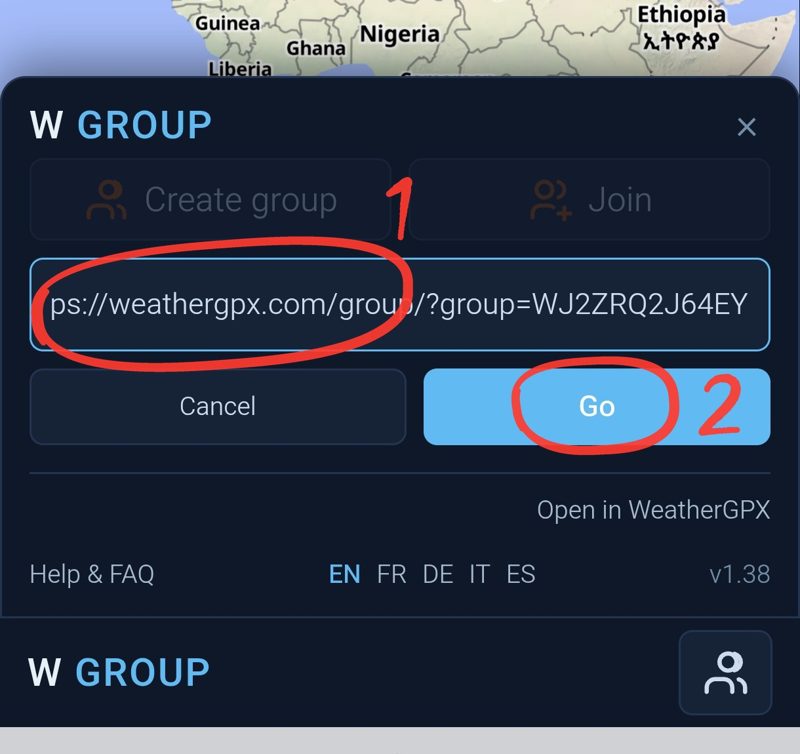
Tap
Go
Person 2 · Join the group
6
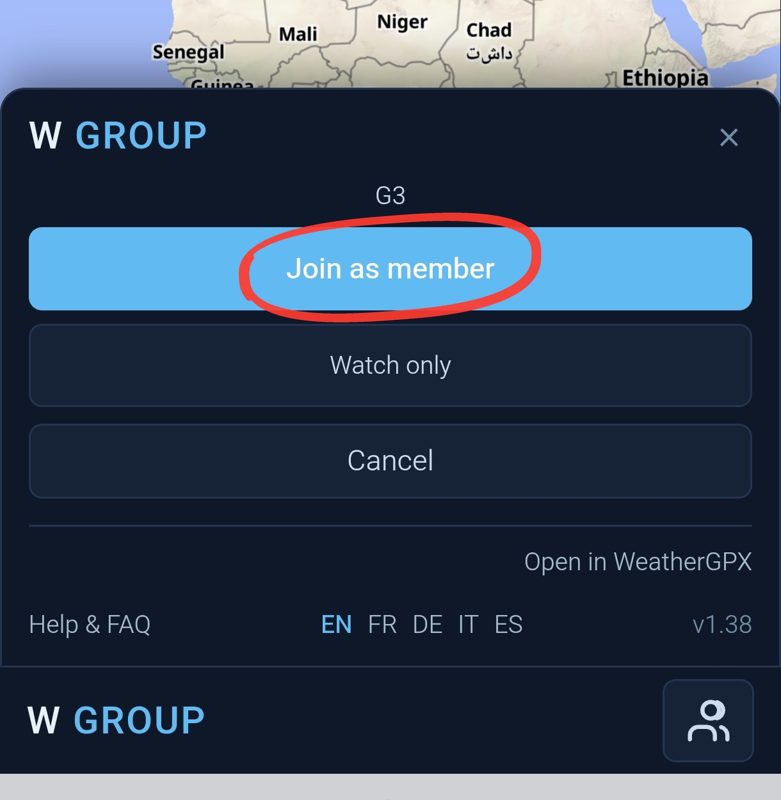
Tap
Join as member
Person 2 · Join the group
7
Type your name
Color: optional, tap the square to change it.
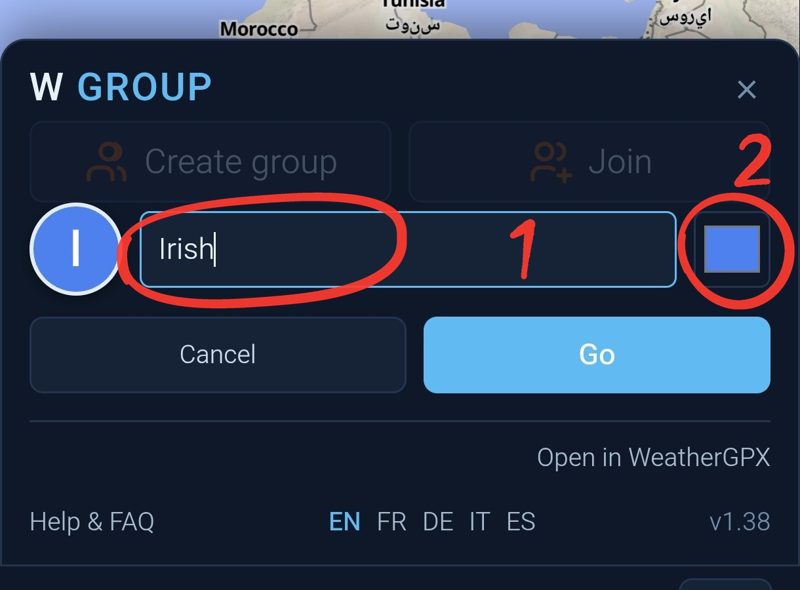
Person 2 · Join the group
8
Tap a color, then
SETOnly if you tapped the square.
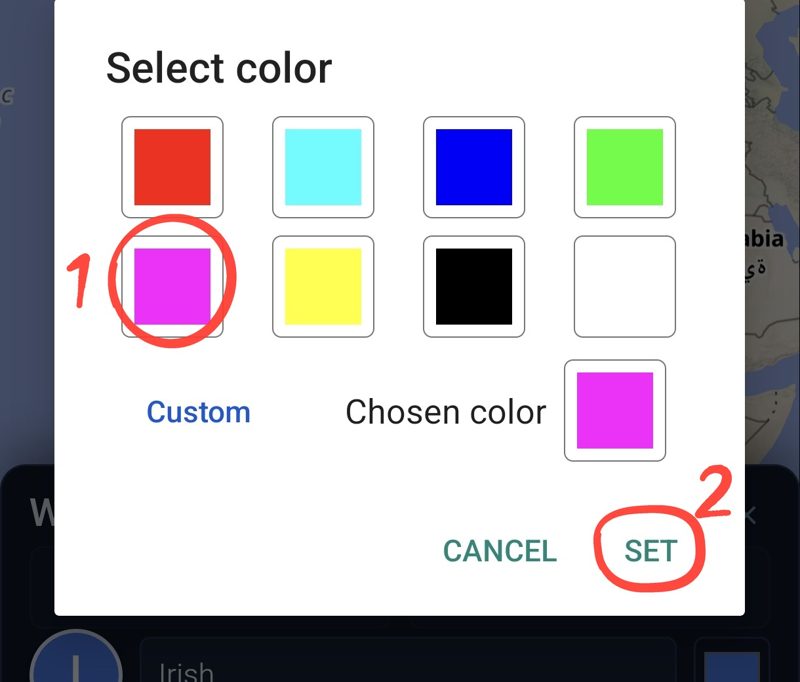
Person 2 · Join the group
9
Tap
Go
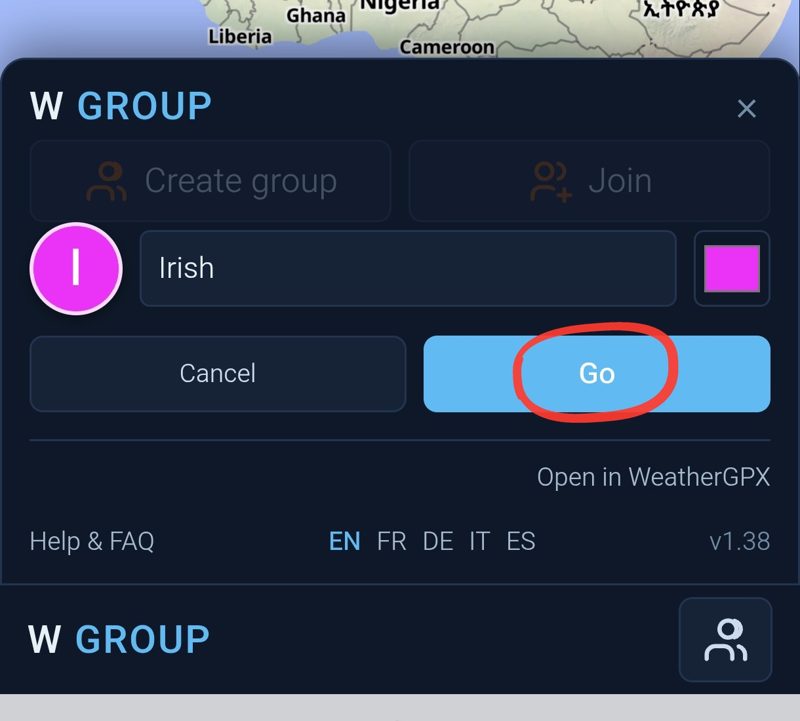
Person 2 · Join the group
10
Tap
While using the appOnly the first time.
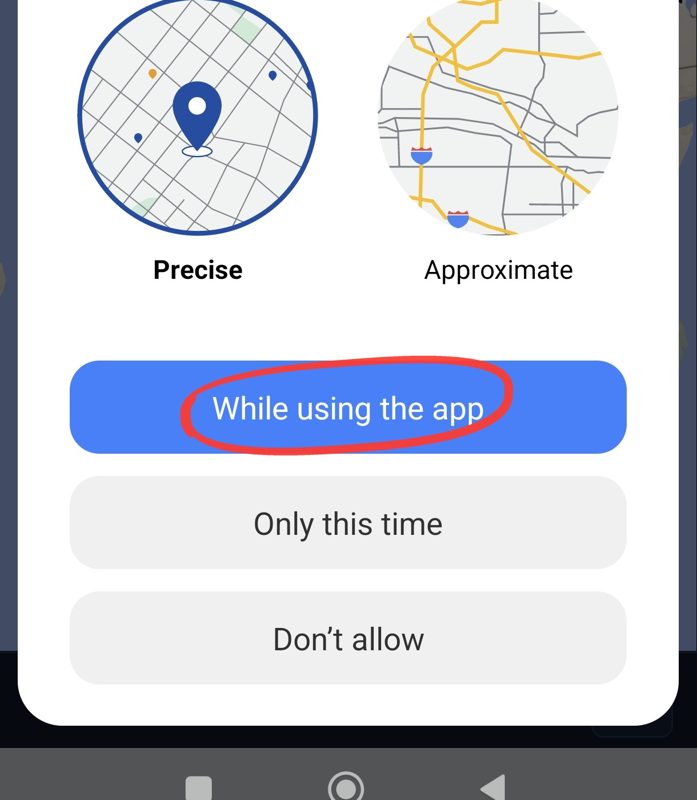
You're in!
You all see each other on the map.
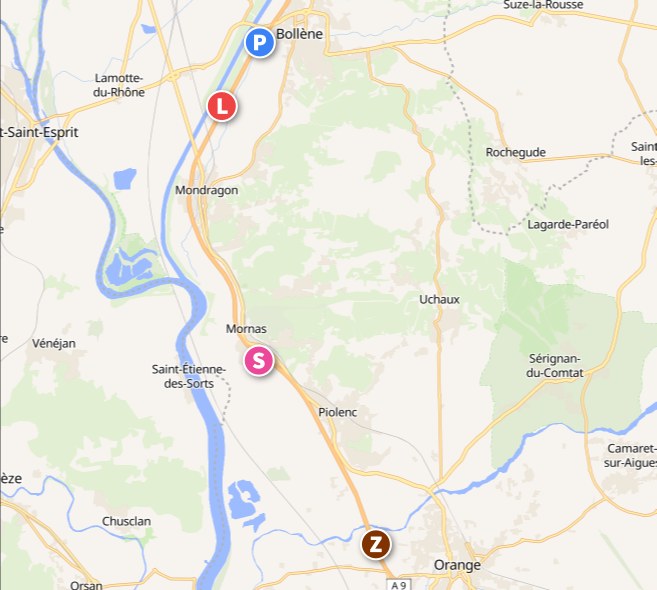

G3 = your group
2 = people in it